Unlock the Bootloader
To install Castrum OS, your device's bootloader must be unlocked.
This step allows the system to flash a custom operating system.
Step-by-Step Instructions:
- Once your phone is connected in Fastboot Mode, click the button below: Unlock Bootloader
- The system will send the unlock command to your device.
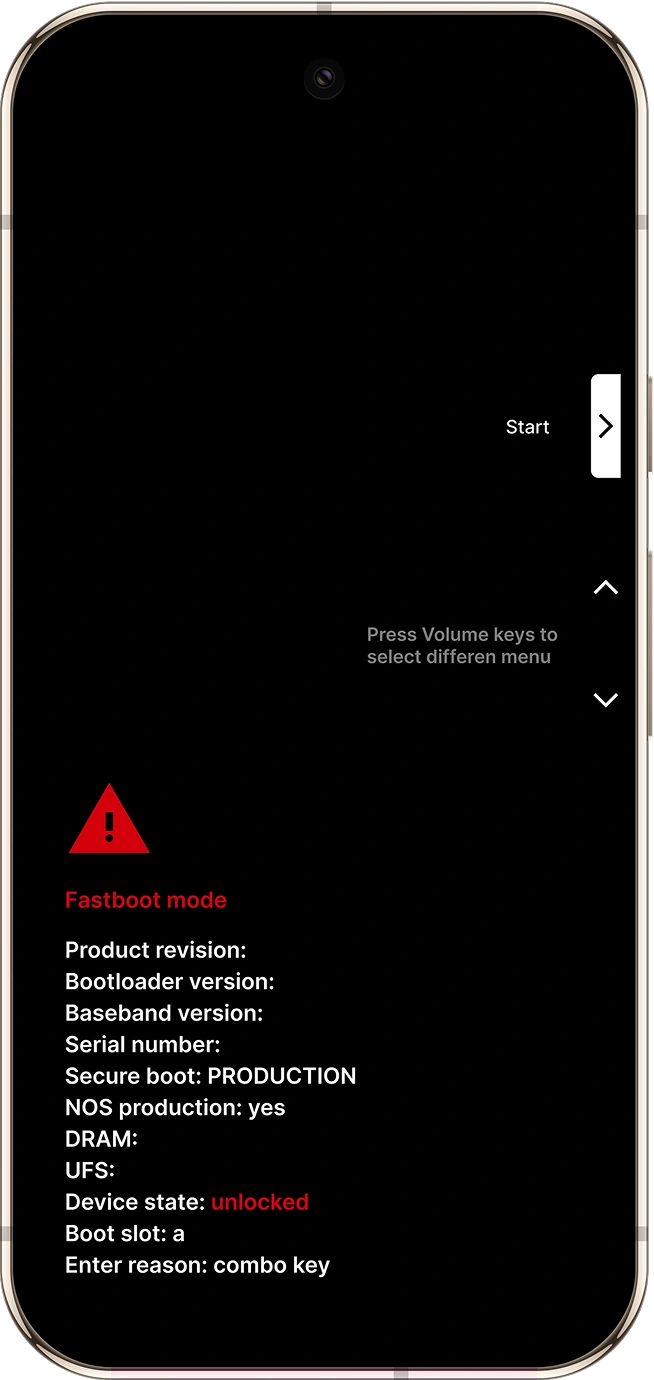
- On your Pixel device, you'll see a confirmation screen with a warning.
Use the Volume buttons to navigate:
- Select "Unlock the bootloader"
- Press the Power button to confirm your selection.
Your phone will now automatically:
- Erase all data (this is required)
- Reboot back into Fastboot Mode with the bootloader unlocked
Your screen should look like this: